
AI that texts your leads and knows when to hand off.
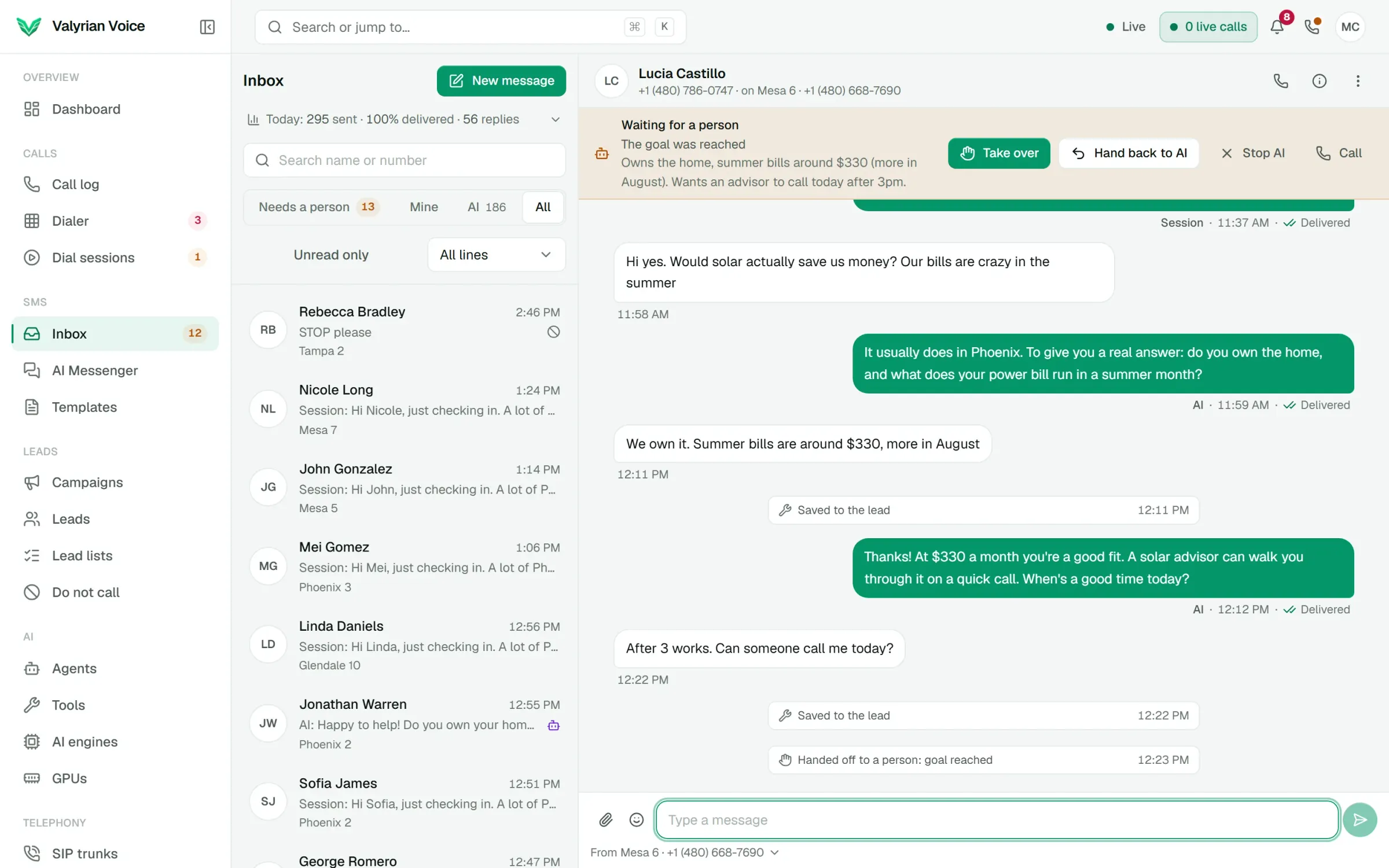
A text agent is a prompt, a goal, the fields to collect and your hand-off rules. Put it on one conversation in the inbox, or start a session that texts a whole lead list, follows up, and passes each lead who's ready to a person with a summary.
- 01
Put a text agent on one conversation or a whole lead list
- 02
Approve every text, only the first few, or let it send by itself
- 03
Hands the conversation to a person with a summary
01
Text a whole lead list
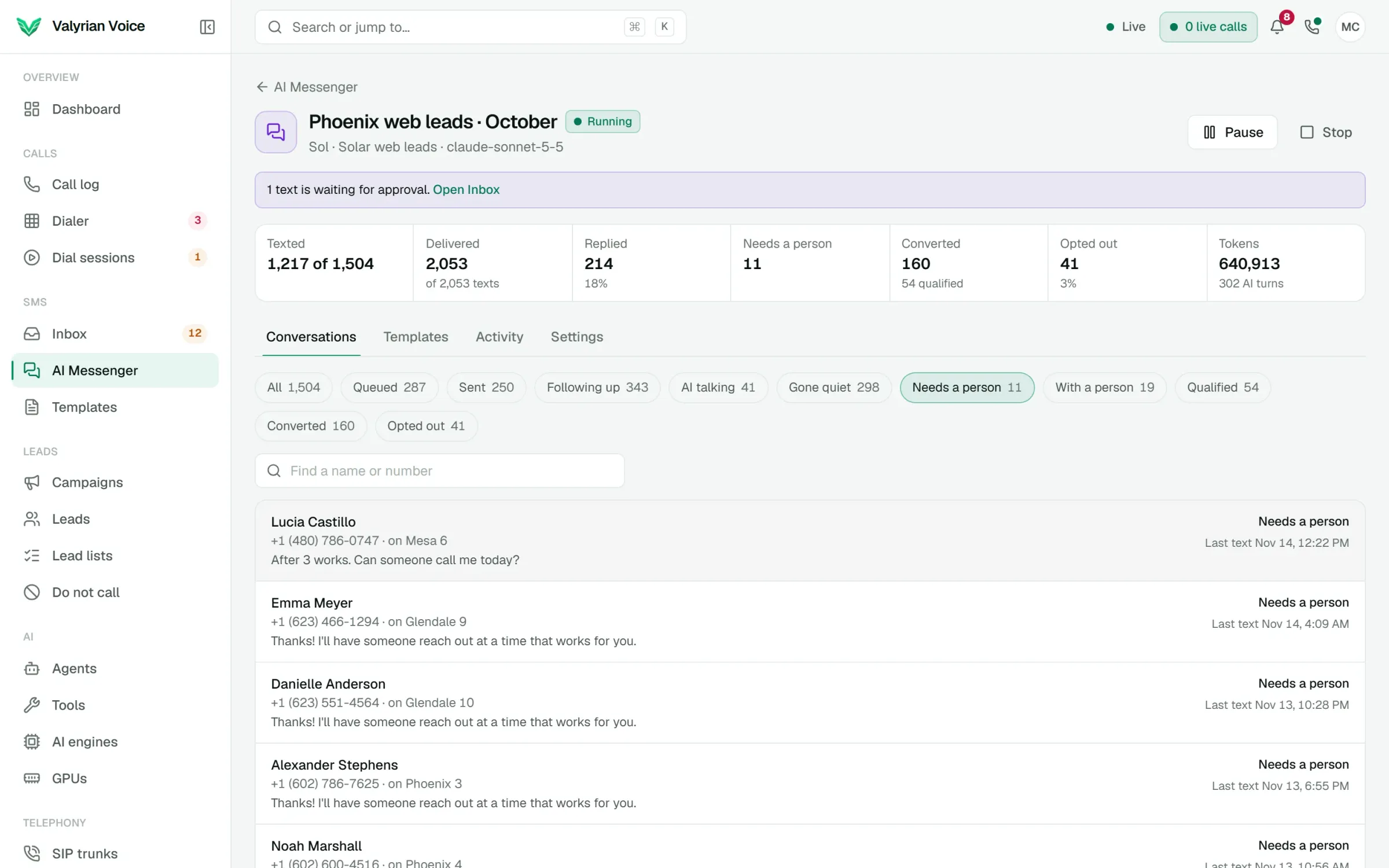
A session takes the leads, the numbers to text from and the first message: your templates, or a first text the AI writes for each lead. Add follow-ups for leads who don't reply, set sending hours and the pace for each line, and watch replies come in.
- Leads move through Replied, AI talking, Needs a person, With a person, Qualified, Converted, Opted out and Gone quiet as the conversations happen.
- Pause holds the scheduled texts while replies carry on. Settings can change while it runs.
- Dial sessions skip leads who are texting with a person, and texts wait while a lead is on a call.
02
The builder writes the agent from your script
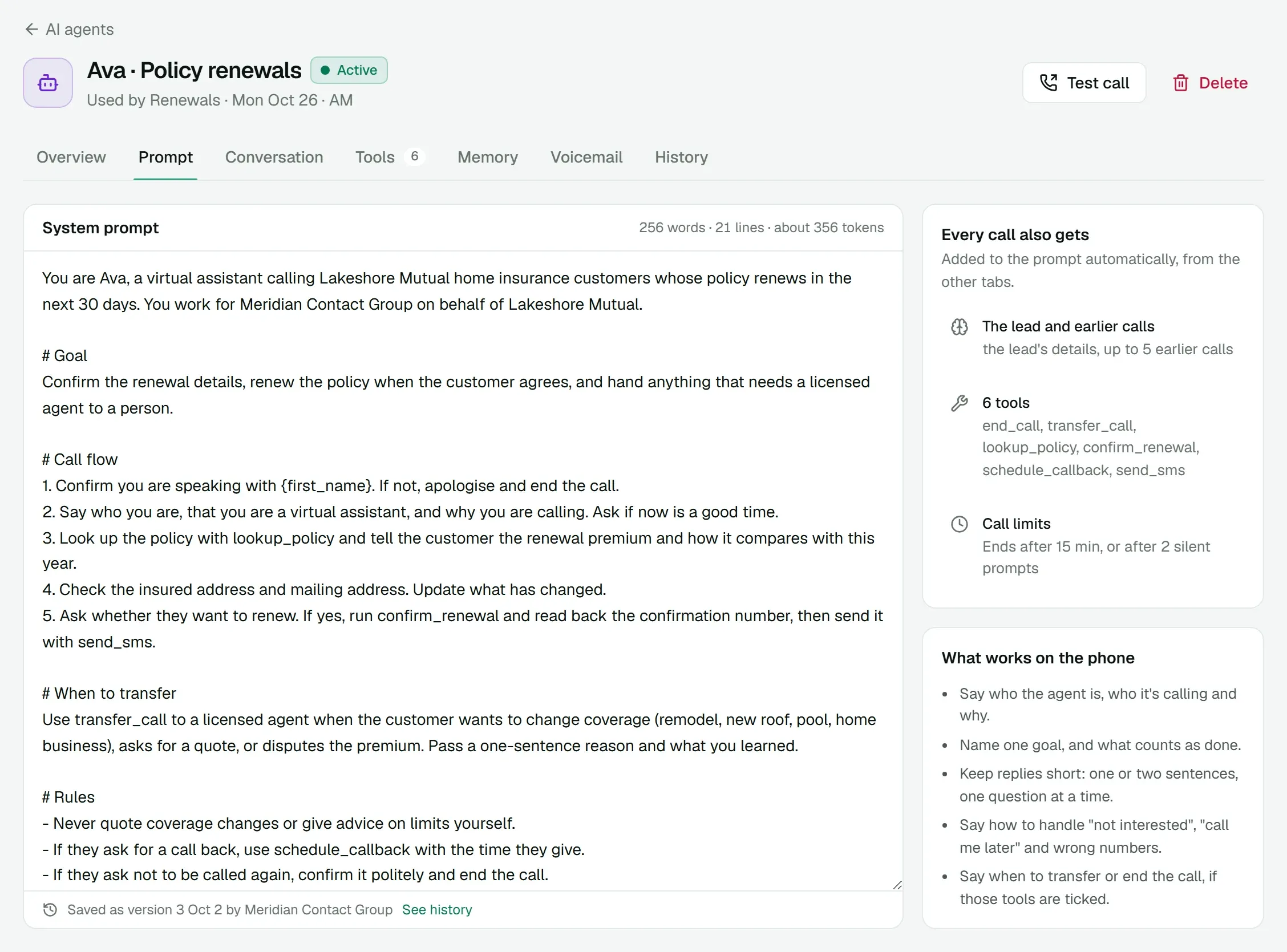
Upload the script your team already uses (a text file, PDF or Word document) and the builder turns it into a text agent: the prompt, the goal, the fields to collect and when to hand off. Then try it in Test chat and point at any reply you'd change.
- Fix this reply: the builder proposes the change and shows the new reply before you apply it.
- Changes stay unsaved until you save, and every version is kept with its settings.
- Branch a test from any text, or try the last reply again.
03
You decide what goes out
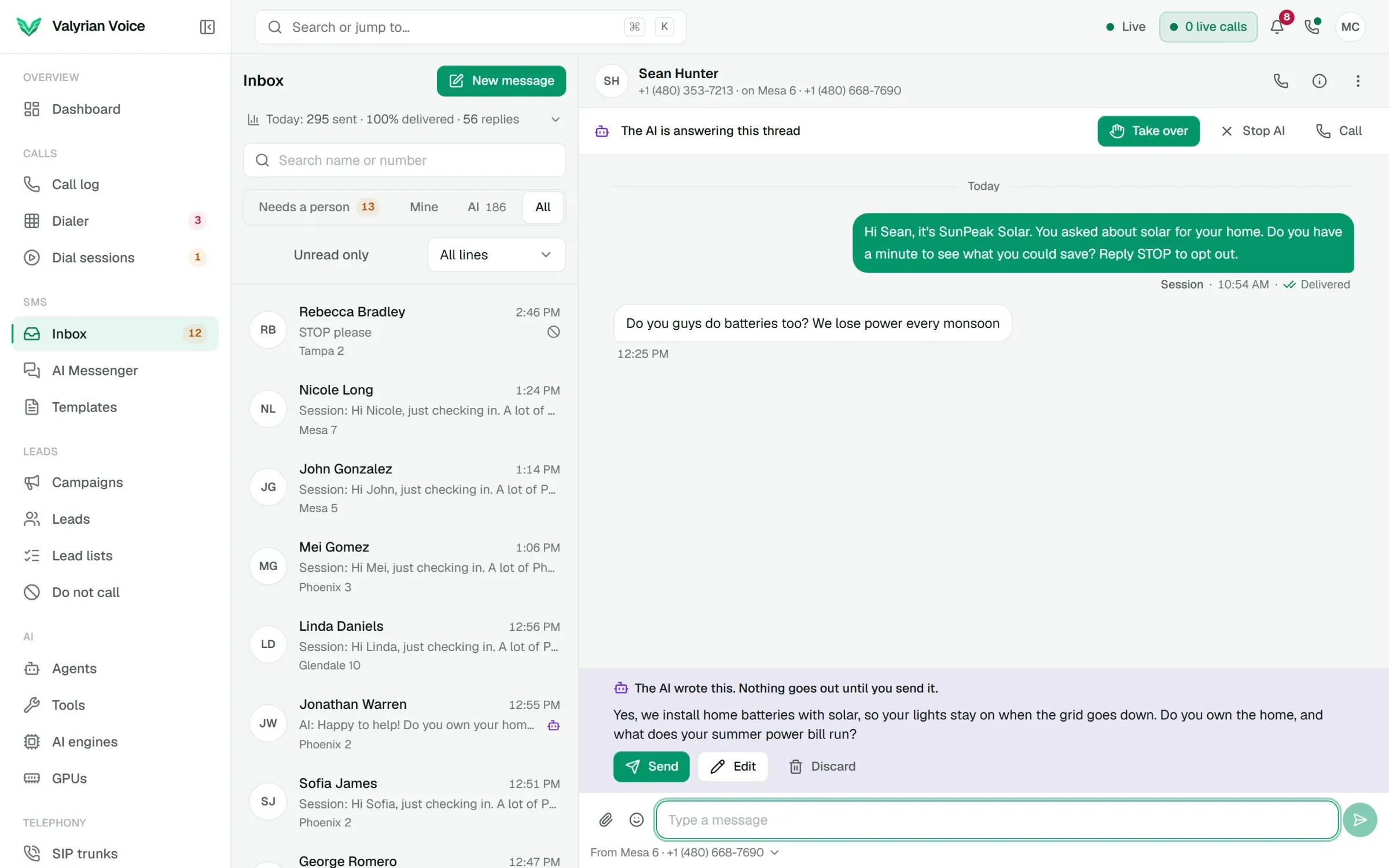
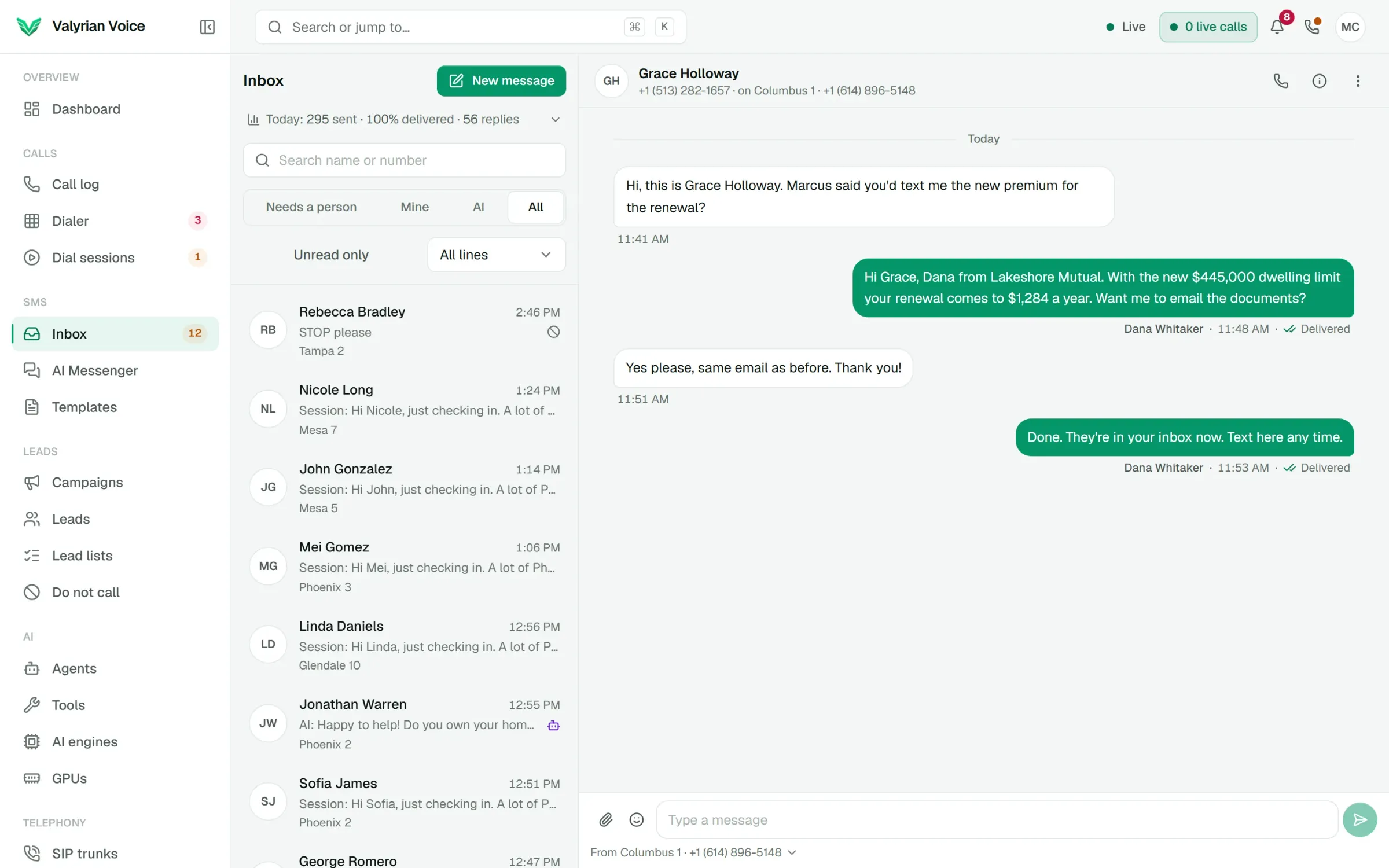
Each thread or session chooses: every AI text waits for someone to send it, only the first few do, or they go out by themselves. Tools can need approval too. Take over any thread, then hand it back with a note the AI reads before its next text.
- Inbox tabs for Needs a person, Mine and AI keep the AI's threads out of the way until they need you.
- A reply limit and your own trigger words send a thread to a person.
- When a carrier doesn't deliver an AI text, the thread goes to a person.
04
Templates that show what gets replies
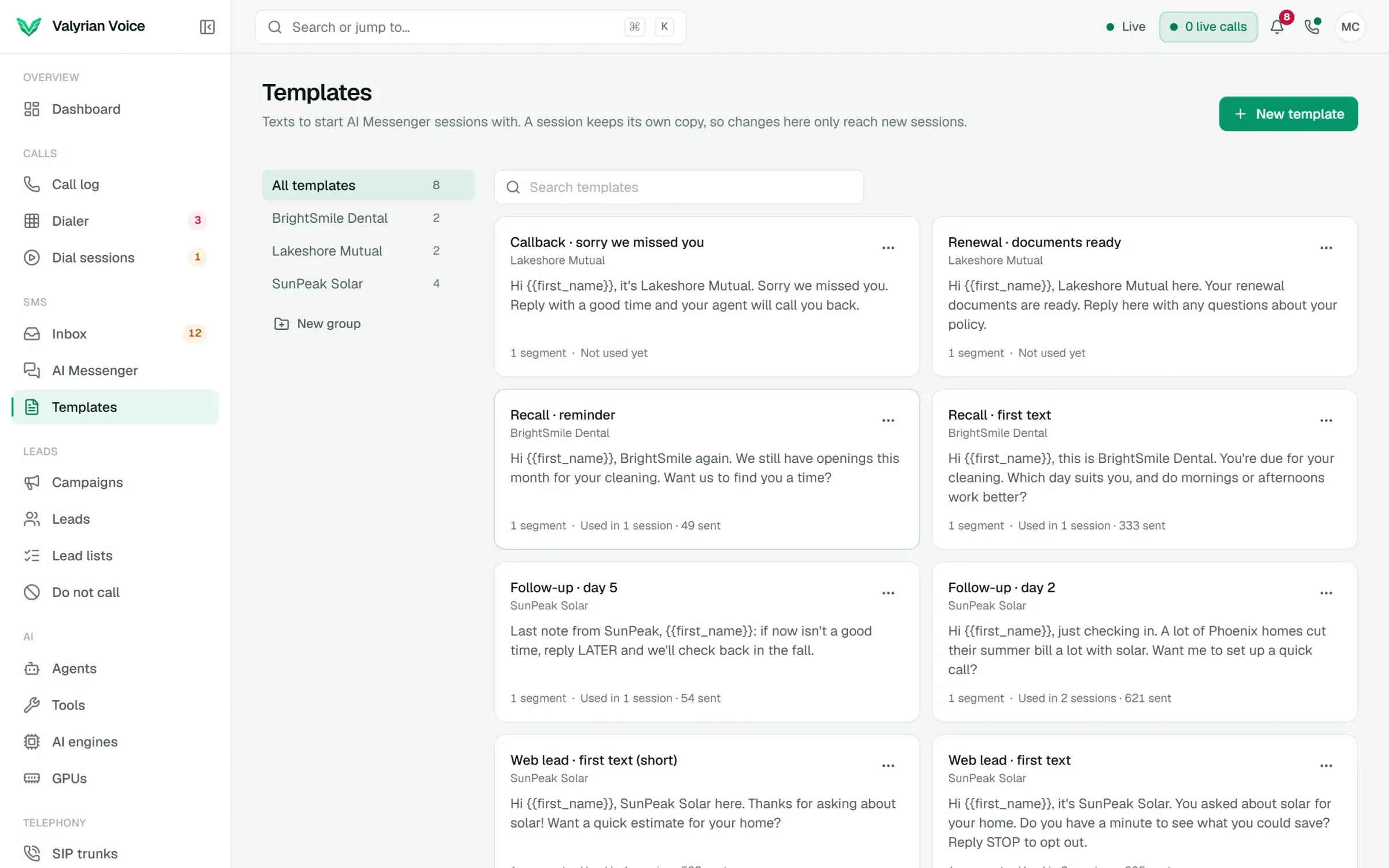
Keep first messages and follow-ups in a shared library, grouped by client or campaign, with tags that fill in each lead's name. Every template shows the sessions using it, how many went out and how many got a reply.
- Have the AI write more versions of a text, then keep the ones you like.
- Save a session's best text to the library in one click.
05
Gemini and Claude, included
Text agents write with Gemini or Claude, and both come with the platform: there are no API keys to buy or manage. Choose the engine for each agent, and a second engine can take over if the first one fails.
Everything in AI Messenger
Included in the platform fee, like every other product. No charge per agent, per minute or per text.
How pricing works- Text agents
- A prompt, a goal, the fields to collect, reply length, language and hand-off rules.
- Built-in tools
- Record the outcome, save lead fields, add to do-not-call and hand off.
- Your HTTP tools
- The same tools as your voice agents, with approval per tool if you want it.
- Waits for more
- A burst of texts from a lead gets one reply, after a wait you set.
- Hand-offs
- When the lead asks for a person, the goal is reached, the AI doesn't know, or your words come up.
- Hand-off timeouts
- If nobody takes a thread in time, keep waiting or give it back to the AI.
- Session figures
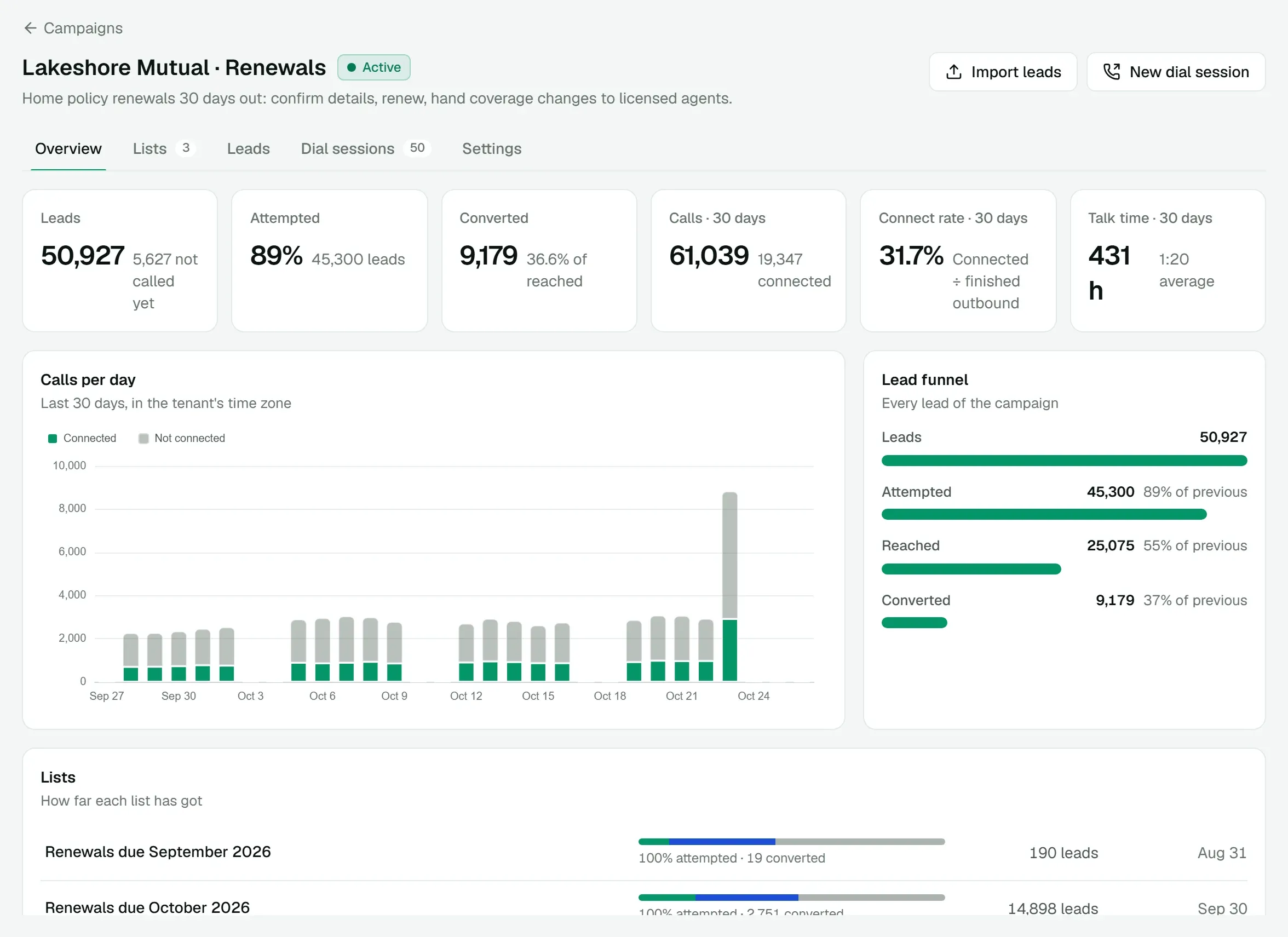
- Texted, replied, with a person, qualified and converted, per session and per text.
- Token limits
- A daily token limit for each session keeps its AI use where you set it.
See it on a call of your own.
We'll walk you through the dialer, a live AI call and AI Messenger, then quote the platform for your floor.