
Campaigns, lead lists and leads in one place.
Group lead lists under campaigns, import them from CSV or Excel, and see how far each list has been worked and what it produced, for AI sessions and people dialing alike.
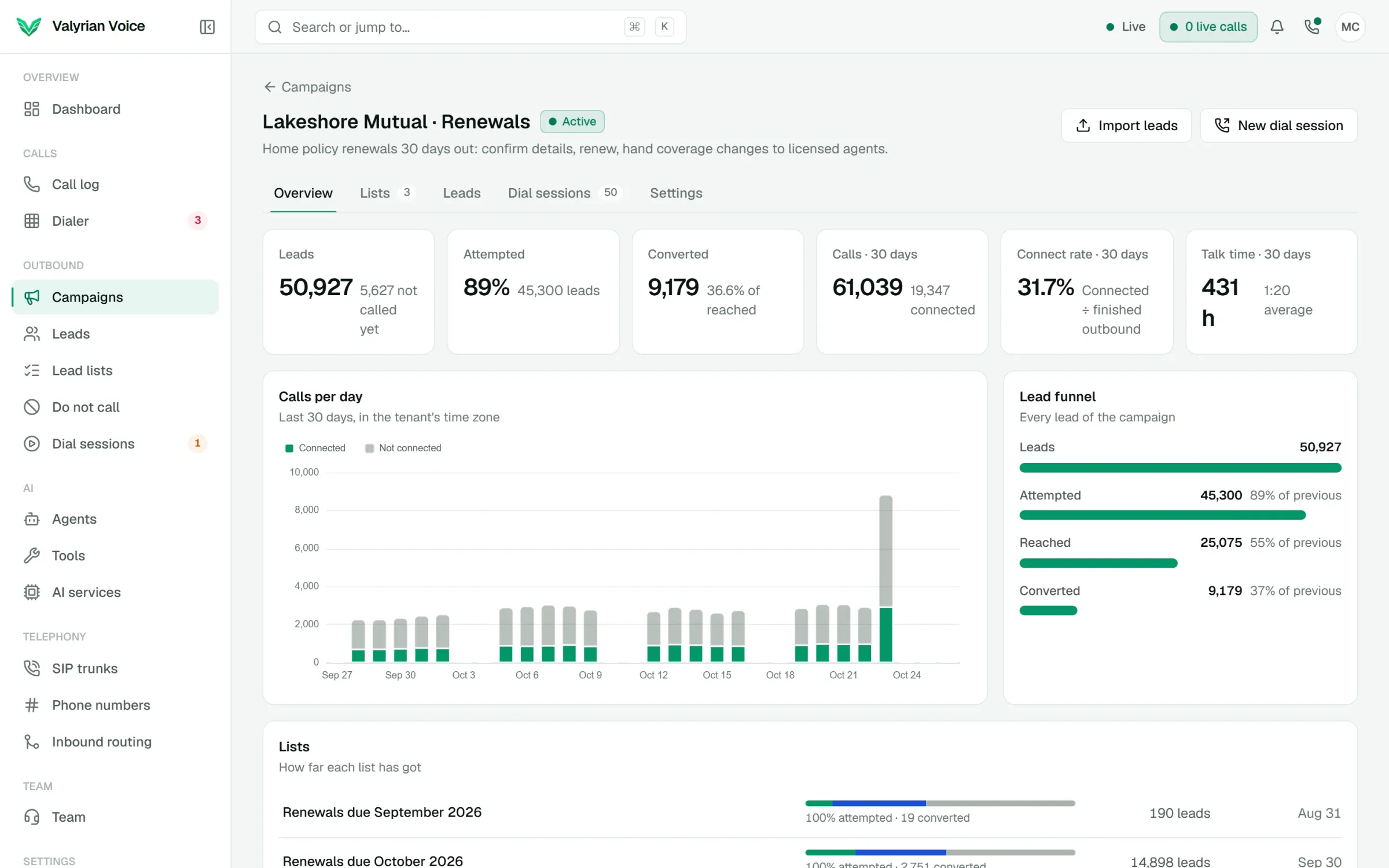
- 01
CSV and Excel imports with column matching
- 02
Progress, connect rate and conversions for every list
- 03
A do-not-call list that is never dialed
01
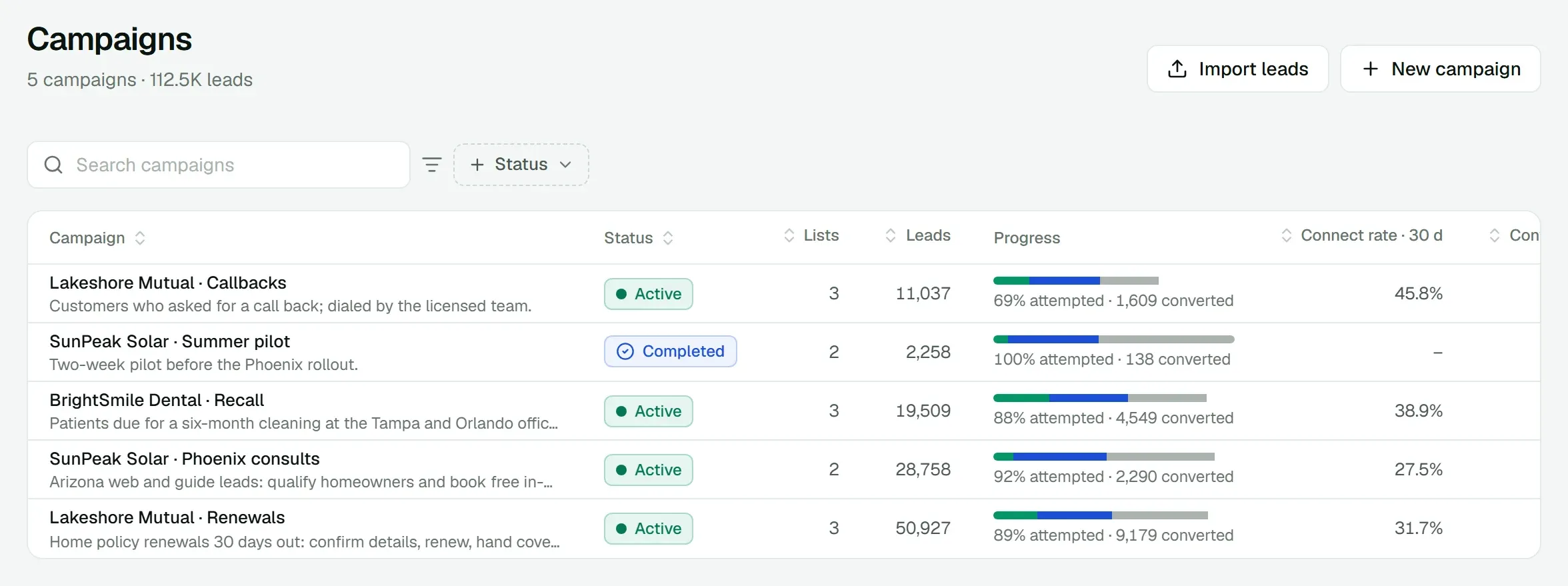
Every campaign at a glance
Lists, leads, how much of each campaign has been attempted, its connect rate and conversions over the last 30 days. Pause a campaign or mark it completed when the work is done.
02
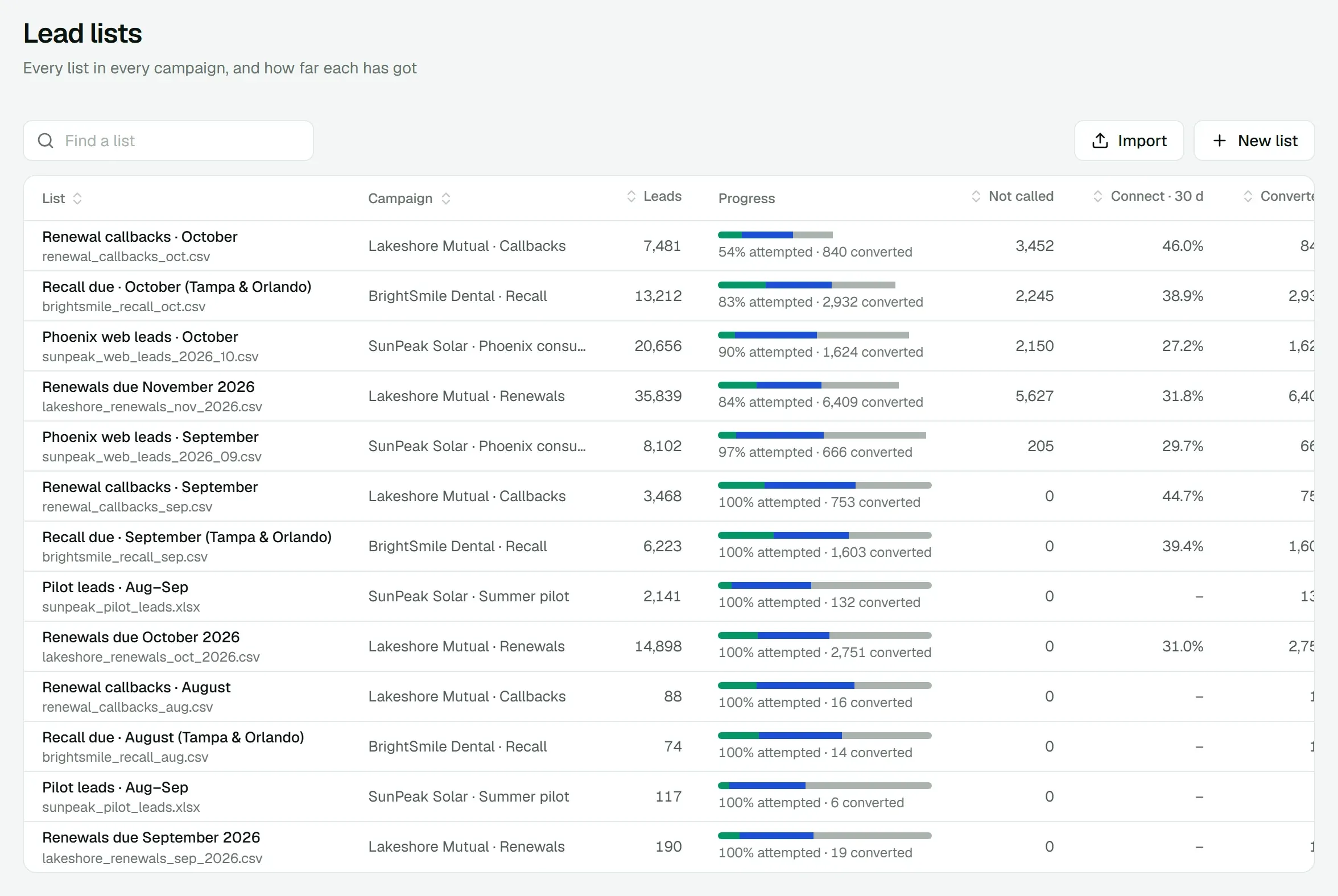
Lead lists you can trust
Each list shows its source file, how many leads it holds, how many have been called and converted, and its connect rate, so you know when a list is worked out.
Everything in Campaigns and leads
Included in the platform fee, like every other product. No charge per agent, per minute or per text.
How pricing works- CSV and Excel import
- Columns like name and phone are matched for you; the rest are kept as lead details.
- Lead statuses
- New, queued, contacted, interested, callback, converted, not interested, voicemail, do-not-call.
- Do-not-call list
- Upload a file, add numbers, or mark them from a call. Never dialed again.
- Lead history
- Every call with a lead, with its outcome, recording and summary.
- Filters and views
- Filter leads by status, list, campaign and when they were last called; save the view.
- Columns and export
- Pick the columns you see and export what you filtered.
- Campaign stats
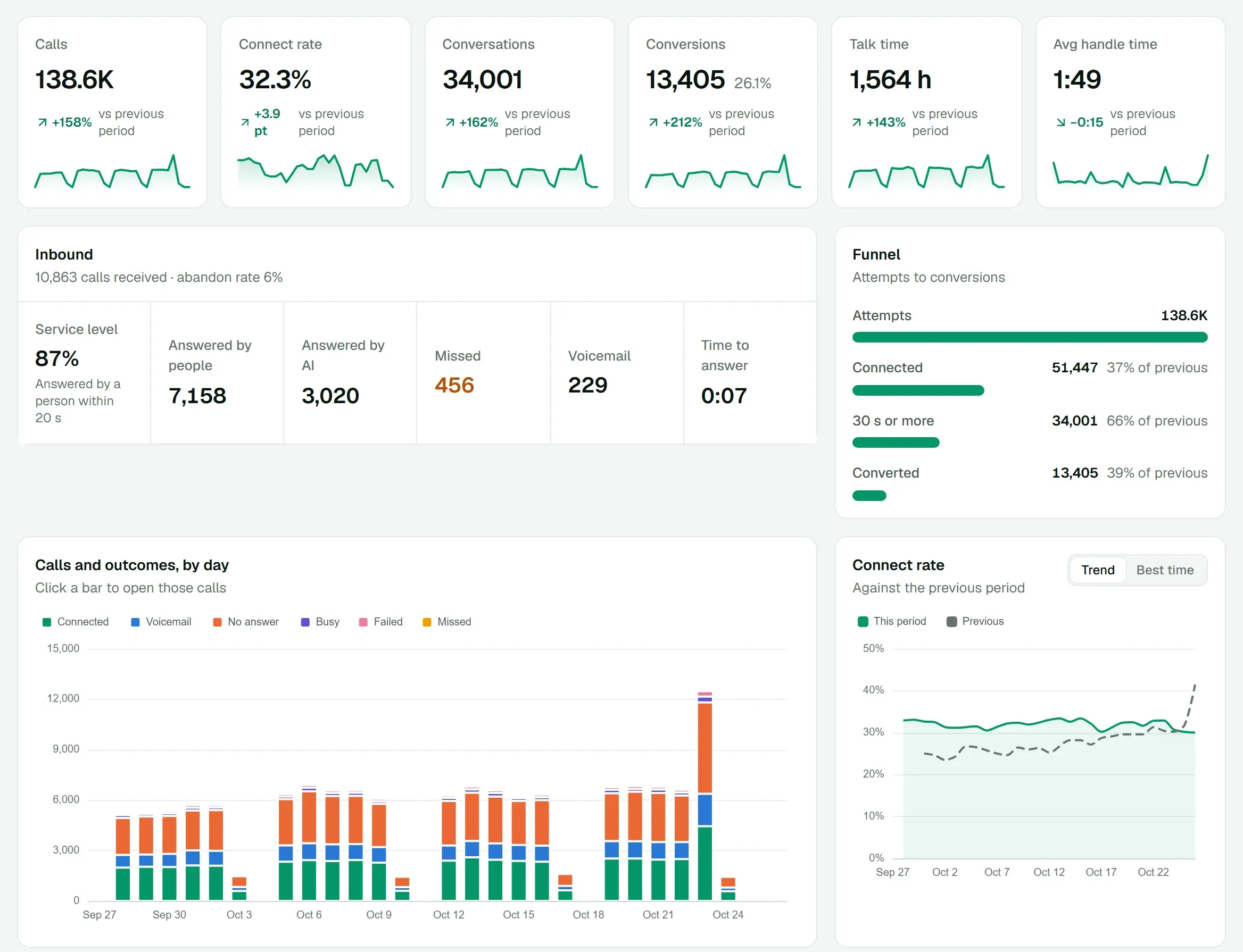
- Calls per day, connect rate, talk time and a lead funnel per campaign.
- For people and AI
- The same leads feed AI dial sessions and agents on the dialer.
Works with
All products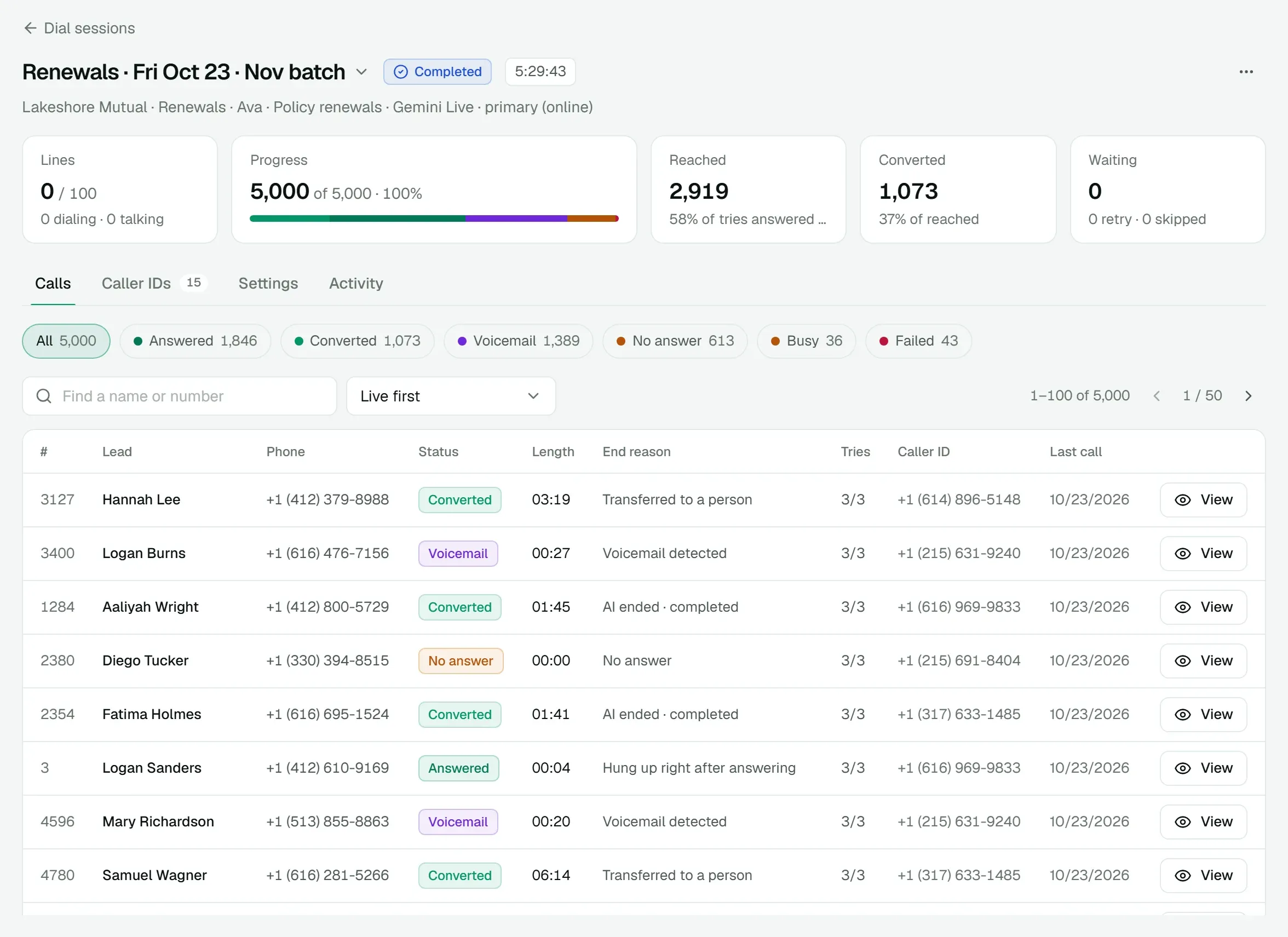
See it on a call of your own.
We'll walk you through the dialer, a live AI call and AI Messenger, then quote the platform for your floor.